Scoliosis X-Ray (Standing PA + Lat) — Dictation, Appropriateness, and Dose for Residents
The peds ortho clinic just added on a scoliosis surveillance study for an adolescent patient. The prior is from six months ago. They want a new Cobb angle, an updated Risser sign, and your take on any significant progression. Your attending is a stickler for getting the endplates exactly right on the Cobb measurement, and you’ve got a busy list ahead of you.
Getting these reports right isn’t just about the numbers; it’s about providing clear, actionable data that guides major clinical decisions—like bracing or surgery. It’s one of those studies where precision matters, and having a solid template is half the battle. When you’re juggling a dozen other reads, you don’t want to be rebuilding the key components of a scoliosis report from scratch. For more high-yield guides like this, check out the residents free-reference hub.
What a Standing Scoliosis X-Ray Covers and What Attendings Look For
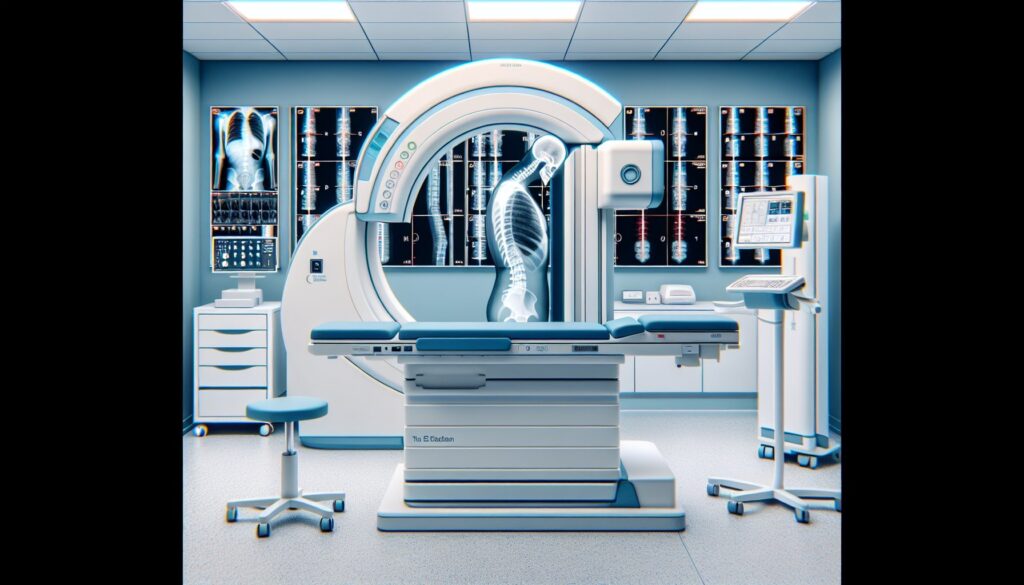
A standing posteroanterior (PA) and lateral scoliosis series is the foundational imaging study for evaluating spinal curvature. The PA view is preferred over an anteroposterior (AP) view to minimize radiation dose to the breast tissue, a critical consideration in a patient population that often requires serial imaging over many years. The study must include the entire thoracic and lumbar spine, with the iliac crests visible at the bottom for assessing skeletal maturity.
Your attending expects a comprehensive report that goes beyond just the primary curve. They’ll be looking for:
- Cobb Angle Measurement: The primary metric for quantifying curve magnitude. This must be measured correctly by identifying the most tilted vertebrae at the top and bottom of the curve.
- Curve Description: Location (e.g., right thoracic, left lumbar), apex, and direction (dextroconvex or levoconvex).
- Skeletal Maturity: The Risser sign, graded from 0 to 5 based on the ossification of the iliac crest apophysis, is essential for predicting remaining growth and progression risk.
- Sagittal Alignment: Assessment of thoracic kyphosis and lumbar lordosis on the lateral view. Abnormalities here can be just as clinically significant as the coronal curve.
- Vertebral Integrity: A careful check for congenital anomalies like hemivertebrae or block vertebrae, which suggest a different etiology and require further workup (often with MRI).
- Pelvic Obliquity: Especially important in adult patients, this assesses for leg length discrepancy or hip pathology contributing to the spinal imbalance.
Radiology Report Template for Scoliosis X-Ray (Standing PA + Lateral)
This template provides a solid framework. You can adapt it for your institution’s specific needs or use it as a base for a personal macro in your dictation software.
Technique
Standing PA and lateral radiographs of the thoracolumbar spine were obtained. The iliac crests are included for assessment of skeletal maturity.
Findings
Alignment: There is [dextroconvex/levoconvex] curvature of the [thoracic/thoracolumbar/lumbar] spine.
• The primary curve measures approximately [##] degrees, calculated using the Cobb method. The superior endplate of [T#] and the inferior endplate of [L#] were used for measurement. The apex is at [T#/L#].
• A compensatory curve is noted in the [thoracic/lumbar] spine, measuring approximately [##] degrees.
• The Risser sign is [0-5], indicating [skeletal immaturity / active growth / skeletal maturity].
Sagittal Alignment: The thoracic kyphosis and lumbar lordosis are [within normal limits / increased / decreased / straightened].
Vertebral Bodies: Vertebral body heights are maintained. No evidence of congenital anomaly such as hemivertebra or block vertebra. No fracture or destructive osseous lesion is identified.
Pelvis: The sacroiliac joints are unremarkable. The iliac crests are [symmetric / asymmetric, with the [right/left] side elevated].
Other: The visualized soft tissues are unremarkable.
Impression
1. [Mild/Moderate/Severe] [dextroconvex/levoconvex] [thoracic/thoracolumbar/lumbar] scoliosis, measuring [##] degrees with an apex at [T#/L#].
2. Risser sign of [0-5], consistent with [skeletal immaturity / skeletal maturity].
3. [Normal/Abnormal] sagittal alignment as described above.
Free Template Sources for Your Personal Library
Building a robust set of personal templates is a key part of residency. If you’re looking to expand beyond what your institution provides, two great free repositories exist. These are excellent, non-commercial resources maintained by and for radiologists.
- RadReport.org: Curated by the Radiological Society of North America (RSNA), this is a comprehensive library of peer-reviewed templates covering nearly every modality and subspecialty. (https://radreport.org/)
- Radiology Templates (AU): An Australian-maintained library with a clean interface and practical, well-structured templates that are useful worldwide. (https://www.radiologytemplates.com.au/home-page/)
The Next-Level Move: AI-Assisted Structured Reporting
Macros are great, but they’re static. You still have to manually navigate through the fields, delete negative statements, and fill in the measurements. The next step in workflow efficiency is moving from static templates to dynamic report generation.
Instead of clicking through a macro, you can simply dictate the positive findings in free form—”moderate dextroconvex thoracic scoliosis measuring 42 degrees, apex at T8, with a Risser sign of 2″—and let an AI tool handle the rest. GigHz Precision AI is designed for this exact workflow. It takes your free-form dictation of key findings and organizes them into a clean, structured report based on established ACR and subspecialty society frameworks. It helps ensure every key element is included in the right place, which makes your reports clearer for clinicians and more consistent for your attendings.
When Should You Order a Standing Scoliosis X-Ray? ACR Appropriateness Criteria
The American College of Radiology (ACR) provides evidence-based guidelines to help clinicians choose the right study for the right reason. For evaluating scoliosis in pediatric patients, standing radiographs are the clear first-line choice.
According to the ACR Appropriateness Criteria for Scoliosis-Child, standing scoliosis X-rays are Usually Appropriate for the initial imaging of:
- Congenital Scoliosis: When a child presents with suspected scoliosis due to vertebral anomalies.
- Early Onset Idiopathic Scoliosis: In children from 0 to 9 years of age.
- Adolescent Idiopathic Scoliosis (AIS): In adolescents (10 to 17 years old), both with and without risk factors for progression.
While X-ray is the primary tool, other modalities have specific roles. The EOS imaging system is a much lower-dose alternative ideal for serial surveillance in children. MRI is reserved for pre-operative evaluation to assess the spinal cord for abnormalities like a syrinx or tethered cord, or if there are neurologic red flags. CT is used less commonly, typically to evaluate complex bony anatomy before surgery.
How Much Radiation Does a Scoliosis X-Ray Series Deliver?
Radiation dose is a major consideration for scoliosis imaging, as patients are often young and require multiple follow-up studies over years. A standard standing PA and lateral scoliosis series delivers an effective dose of approximately 0.5-1.5 mSv.
However, the modern standard of care, especially at pediatric centers, is the EOS imaging system. This biplanar, slot-scanning technology acquires simultaneous PA and lateral images with a significantly lower radiation dose.
| Imaging Technique | Estimated Effective Dose (mSv) |
|---|---|
| Standard Scoliosis X-Ray (PA + Lat) | 0.5 – 1.5 mSv |
| EOS Biplanar Imaging System | 0.05 – 0.1 mSv |
The dose from an EOS scan is often comparable to just a few weeks of natural background radiation, making it the ideal choice for surveillance imaging to monitor curve progression in skeletally immature patients while adhering to the ALARA (As Low As Reasonably Achievable) principle.
Scoliosis X-Ray Imaging Protocol — Views, Staging, and Low-Dose Options
The protocol for a scoliosis series is straightforward but requires meticulous attention to patient positioning and field of view. The goal is to capture the entire thoracolumbar spine in a functional, weight-bearing position to accurately assess the curve’s severity and its effect on overall balance.
| View / Sequence | Purpose | Key Technical Notes |
|---|---|---|
| Standing Whole-Spine PA | Primary view for Cobb angle measurement and coronal alignment. | Patient standing, weight evenly distributed. Must include C7 to the femoral heads. PA orientation reduces breast dose. |
| Standing Whole-Spine Lateral | Assessment of sagittal alignment (kyphosis, lordosis). | Patient standing, arms elevated or holding supports to clear the spine. |
| Risser Staging on Iliac Crest | Determines skeletal maturity. | Assessed on the PA view. The iliac crests must be fully included in the image. |
| Optional Bending Films | Evaluates curve flexibility for surgical planning. | Supine right and left bending views. |
| EOS Biplanar Imaging | Low-dose alternative for simultaneous PA and lateral acquisition. | Ideal for pediatric surveillance. Provides 3D reconstruction capabilities. |
A common pitfall is improper patient positioning, such as leaning or uneven weight-bearing, which can artificially alter the measured curvature. Another is collimation that cuts off the iliac crests, preventing assessment of the Risser sign. Always double-check the scout or initial image to ensure the entire region of interest is included.
3+ months free for radiology residents and fellows
Look like a rockstar on your reports. When you’re on call, you can dictate positive findings in free form, and the AI generates a complete structured report using the latest ACR and SIR templates. The appropriate Clinical Decision Support (CDS) recommendations fire automatically, so you don’t have to look them up.
We’re offering an extended free-access program for trainees. All we ask in return is your feedback so we can keep improving the product for residents and fellows.
Signup is simple. No credit card, no long forms. Just provide these three items:
- Your PGY year (e.g., PGY-2, PGY-4)
- Your training type (radiology residency or specific fellowship — IR, body, MSK, neuro, peds, breast, nucs)
- Your training program / hospital name
To get started, apply for the residents free-access program and reply to the application email with the three items above. We’ll get you set up.
Free GigHz Tools That Pair With This Article
Three free tools that complement the material above:
- Imaging Appropriateness Selector — Type an indication or clinical scenario in plain language and get the imaging studies the ACR rates for it, with adult and pediatric radiation levels. Built directly from 297 ACR topics, 1,336 clinical variants, and 15,823 procedure ratings.
- GigHz Imaging Protocol Library — A searchable library of 131 imaging protocols with the physics specs surfaced and the matching ACR Appropriateness Criteria alongside. Plain-English narratives readable in 60 seconds, organized by modality.
- GigHz Radiation Dose Calculator — Pick the imaging studies a patient has had and see total dose in millisieverts (mSv) with comparisons to natural background radiation, transatlantic flights, and chest X-rays. Useful for shared decision-making.
Frequently Asked Questions
Is GigHz Precision AI HIPAA-compliant?
Yes. The platform is designed for de-identified workflows by default. It operates on the anonymized text of your dictated findings and does not require access to patient identifiers or your PACS system.
Does this require a complex IT setup?
No. It’s a browser-based tool that works on any modern computer, including the call-room PC or your personal iPad. There is no software to install and no need to involve hospital IT.
How does it work with PowerScribe or other dictation systems?
It works alongside your existing dictation software. You dictate your findings as you normally would. You can then copy-paste the free-text findings into the AI assistant, which generates the structured report. You then paste the final, clean report back into your PACS/RIS.
Can I use this on my phone or iPad?
Yes, the platform is fully responsive and works well on tablets like the iPad, which is perfect for reviewing a report draft while you’re away from your primary workstation.
Can I customize the templates?
Yes. While the system comes pre-loaded with ACR and society-recommended templates, you can create, modify, and save your own templates to match your personal preferences or your institution’s specific formatting requirements.
What happens after I finish my residency or fellowship?
The free-access program is specifically for trainees. After you graduate, you can transition to a standard plan for practicing radiologists. We offer discounts for recent graduates to help ease the transition into practice.
Reviewed by Pouyan Golshani, MD, Interventional Radiologist — August 4, 2026